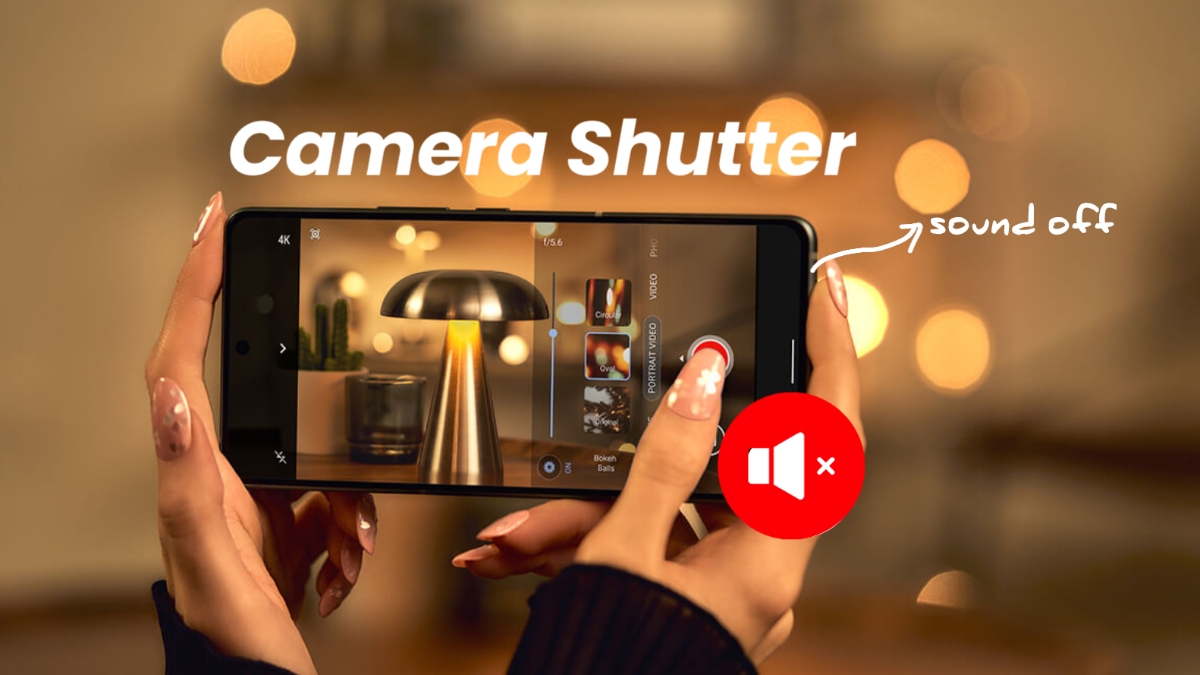

Turn Off iPhone Camera Shutter Sound when silence matters. Camera sounds help confirm successful photo capture. However, those sounds may disturb nearby people.
This often happens during meetings, events, classes, or quiet places. Thankfully, the iPhone offers several simple solutions today.
Turn Off iPhone Camera Shutter Sound Using Silent Mode
The easiest solution uses your iPhone’s Silent mode. Many users choose this method every day. It works quickly and requires little effort.
When Silent mode becomes active, shutter sounds stop. This allows quiet photography in sensitive situations. You can take many photos without disturbance.
How To Enable Silent Mode
Follow these simple steps below:
- Find the Ring/Silent switch.
- Locate it on your iPhone’s side.
- Move the switch toward Silent mode.
- Make sure the orange indicator appears.
- Open the Camera app normally.
- Capture photos without shutter sounds.
This process only takes a few seconds. Most users can complete it immediately.
Using The Action Button
Some newer iPhone models work differently today. These devices include an Action button instead. Follow these steps:
- Press the Action button once.
- Silent mode activates instantly.
- Open the Camera application.
- Take photos without shutter sounds.
The Action button provides quick access. Many users find it very convenient.
Important Things To Remember
Silent mode affects more than camera sounds. Other sounds become silent as well.
These include:
- Incoming call alerts.
- Message notifications.
- App notification sounds.
- Other system alerts.
Because of this, stay careful afterward. You may miss important alerts accidentally.
When finished taking photos:
- Disable Silent mode.
- Move the switch back.
- Hide the orange indicator.
- Or press the Action button again.
This restores your normal sound settings. Notifications and alerts become audible again.
Why Many Users Prefer Silent Mode
Silent mode remains extremely popular today. It works without changing camera settings. Benefits include:
- Fast activation.
- Easy to understand.
- Works immediately.
- No extra setup required.
For many situations, this method works best.
Turn Off By Lowering Volume
Another effective option involves reducing system volume. Lower volume often removes camera shutter sounds.
This method works well during temporary situations. You can restore volume whenever needed.
Steps To Reduce Shutter Sound Volume
Follow these instructions carefully:
- Open the Camera app first.
- Access Control Center next.
- Swipe down from the screen’s top-right corner.
- Locate the volume slider.
- Drag the slider downward.
- Reduce volume completely.
After adjusting volume settings:
- Return to the Camera app.
- Capture photos normally.
- Listen for reduced shutter sounds.
Many users find this option useful daily.
Adjusting Volume In Photo Mode
You can adjust volume while preparing photos. The process remains very simple. Steps include:
- Open Camera on your iPhone.
- Access Control Center.
- Move the volume slider.
- Increase or decrease sound levels.
- Return to the Camera app.
- Continue capturing photographs.
This gives more control over sound output.
Benefits Of Lowering System Volume
Reducing volume offers several advantages. Some benefits include:
- Easy adjustments anytime.
- No need for Silent mode.
- Quick restoration afterward.
- Useful during short photography sessions.
This flexibility attracts many iPhone users.
Things To Keep In Mind
Lower system volume affects other sounds too. Media playback may become quieter. The following sounds may change:
- Music volume.
- Video volume.
- Notification sounds.
- App sounds.
Check volume settings afterward carefully. Restore preferred levels when finished.
Turn Off With Live Photos
Live Photos provide another useful solution. Many users overlook this feature completely.
Unlike standard photos, Live Photos record motion. They capture moments before and after pressing.
This creates a short moving memory. Photos feel more alive and natural.
Why Live Photos Help
A major benefit exists with Live Photos. The shutter sound usually does not play.
This allows quiet photography in many situations. Users can capture moments discreetly.
According to Apple, shutter sounds generally remain absent. However, regional exceptions may still apply.
What Are Live Photos?
Live Photos capture more than still images. They record extra moments automatically. The feature captures:
- Moments before pressing capture.
- The exact capture moment.
- Moments after pressing capture.
This creates a short video-like effect. Many users enjoy viewing these memories later. Small movements make images more interesting.
How To Enable Live Photos
Activating Live Photos requires only seconds. Follow these steps:
- Open the Camera app.
- Look at the upper screen area.
- Find the three-circle icon.
- Tap the Live Photos button.
- Check the status notification.
- Confirm Live Photos are active.
After activation, begin capturing photos normally.
Advantages Of Live Photos
Live Photos offer several useful benefits. These include:
- Reduced shutter sounds.
- More engaging memories.
- Extra movement details.
- Better storytelling through images.
Many users appreciate these added features.
One Important Drawback
Live Photos require additional storage space. Because extra information gets saved, file sizes become larger.
This means:
- Storage fills faster.
- Photo libraries become larger.
- More space management becomes necessary.
Before using Live Photos frequently, check storage availability.
Managing Storage Efficiently
Storage management remains important for users. Helpful tips include:
- Remove unwanted photos regularly.
- Delete duplicate images.
- Back up important memories.
- Monitor available storage space.
These habits help maintain smooth performance.
Important Regional Restrictions You Should Know
Not every user receives identical results. Camera sound behavior varies worldwide.
Some countries and regions have specific regulations. These rules may require camera sounds.
Because of local laws:
- Shutter sounds may stay active.
- Silent mode may not help.
- Live Photos may behave differently.
- Muting options may become limited.
This requirement exists for privacy reasons. Device manufacturers must follow local regulations.
What To Do If Sounds Remain Active
If sounds continue playing, stay patient.
Try these options:
- Check Silent mode status.
- Verify volume settings.
- Enable Live Photos.
- Review regional restrictions.
Sometimes local regulations determine available behavior.
The Bottom Corner
Turn Off iPhone Camera Shutter Sound using several easy methods. Silent mode provides the fastest solution available. Lowering system volume offers flexible sound control.
Live Photos reduce shutter sounds while adding motion. Remember that some regions require camera sounds. Choose the option matching your needs and situation.