
Google Chrome now reads website content aloud easily. Users can listen while working, walking, studying, or relaxing.
Google “Listen To This Page” Feature makes reading easier and more flexible.
How Google “Listen To This Page” Feature Works On Chrome
Google recently introduced a useful Chrome feature. It is called “Listen to this page.” The feature converts webpage text into speech. Users can hear articles instead of reading.
Many websites already offered audio support previously. However, support remained limited across many websites. Google now expands this capability significantly. More text-heavy pages can support audio playback.
The feature works with articles and blog posts. It also supports editorials and similar pages. This helps users consume information differently.
Before this feature arrived, users depended heavily. They often used Google Assistant for reading. The assistant could read webpages aloud successfully. However, playback controls remained very limited.
Users could not easily manage playback options. Adjusting listening speed was difficult previously. Navigation controls were also very limited. The overall experience felt less flexible.
Google improved that experience with new controls. The latest feature offers better customization options. Users receive greater control during listening sessions.
The feature currently appears in Chrome Android. Reports suggest Chrome version 125 supports it. More users have noticed availability recently. Google continues expanding access gradually worldwide.
The rollout happens in stages currently. Therefore, some users may still wait. The feature might not appear immediately. Availability differs across devices and regions.
If Chrome remains outdated, update it. Visit Google Play Store immediately. Check for available Chrome updates there. New versions may include this feature.
The feature depends upon Chrome updates. It does not depend on Android versions. Keeping Chrome updated remains very important. Future improvements may arrive through updates.
Using The Feature Step By Step
Using the feature remains very simple. Anyone can start within a minute. Follow several easy steps to begin.
Open A Supported Webpage
Open an article you want to read aloud. Blog posts also work very well. Editorial pages can support playback too. Text-heavy content works best currently.
Access Chrome Menu
Tap the three-dot menu icon. It appears in Chrome’s upper corner. This opens Chrome’s overflow menu instantly. Several browser options become visible.
Select Listen To This Page
Look for the listening option carefully. It appears below the Translate option. It sits above Add to Home Screen. Tap it to begin playback immediately.
If the option remains unavailable currently, wait. The feature may not support that page. It also may not reach devices yet. Availability continues expanding through gradual rollout.
Audio Playback Starts Automatically
Chrome starts reading the page immediately. No additional setup becomes necessary. The content begins playing through speakers. Connected headphones also work perfectly.
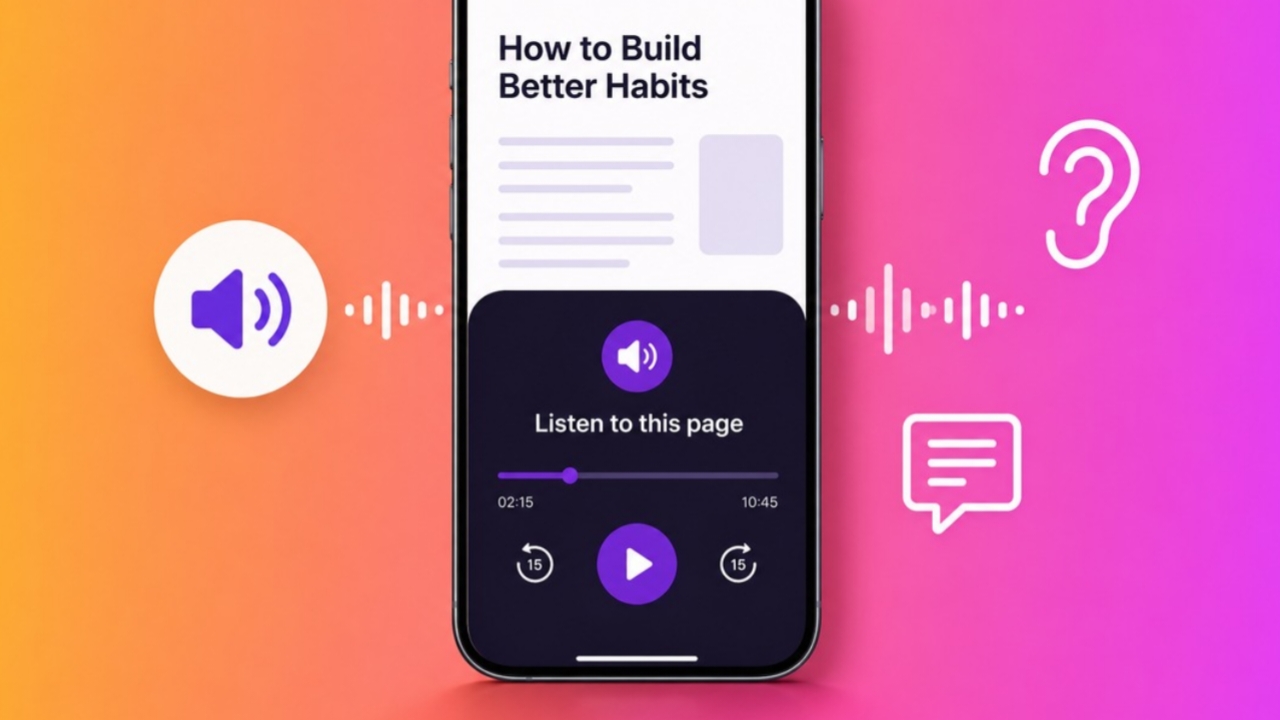
A mini player appears automatically afterward. It remains visible near the bottom of the screen. Users can manage playback quickly there. Important controls stay easily accessible.
Advanced Controls
Google added several useful listening controls. These features improve the overall experience. Users gain flexibility while consuming content.
Mini Player Controls
The mini player offers basic functions. Users can pause playback instantly. They can also resume listening quickly. Progress information remains visible throughout playback.
The webpage title appears inside the player. This helps identify active content easily. Everything remains simple and user-friendly.
Expanded Playback Widget
Tapping the mini player expands controls. More playback options become available. Users gain greater navigation flexibility. Listening becomes easier and more convenient.
Scrubber For Quick Navigation
The widget contains a scrubber control. Users can jump between content sections. Finding important information becomes much easier. Long articles become simpler to navigate.
Forward And Rewind Buttons
Dedicated navigation buttons are included. These buttons skip ten seconds instantly. Users can review missed information quickly. Important details become easier to revisit.
Playback Speed Options
Different listening speeds support different preferences. Users can choose comfortable playback speeds. Faster listening saves time significantly. Slower listening improves understanding sometimes.
Available speed options include:
- 0.5x playback speed.
- 0.8x playback speed.
- 1x playback speed.
- 1.2x playback speed.
- 1.5x playback speed.
- 2x playback speed.
- 3x playback speed.
- 4x playback speed.
These options support many listening styles. Users can personalize every session easily.
Voice Selection Options
Google includes multiple voice choices. Different tones create different experiences. Users can select preferred voice styles.
Available voice options include:
- Ruby with warm mid-pitch voice.
- River with calm mid-pitch voice.
- Field with bright low-pitch voice.
- Moss with peaceful low-pitch voice.
- Several additional voice choices available.
Voice customization improves user comfort greatly. Different voices suit different preferences.
Highlight Text And Auto Scroll
A useful accessibility feature remains available. Users can highlight text automatically. Words become highlighted during playback sessions.
Auto scroll moves the page automatically. Users can follow spoken content visually. Reading and listening happen together smoothly.
The feature can be enabled anytime. Users can also disable it instantly. Flexible settings improve overall usability greatly.
Everyday Benefits
The feature offers many practical advantages. Different users benefit in different ways. It improves accessibility and productivity together.
Better Multitasking Experience
People often discover interesting articles daily. Unfortunately, reading time feels very limited. Audio playback helps solve that problem.
Users can listen while walking outside. They can listen during household chores. Commuting time becomes more productive too. Content consumption becomes much more flexible.
Helpful For Students
Students frequently read lengthy research material. Reading and note-taking together feels difficult. The feature simplifies this learning process.
Students can listen carefully while writing. Their attention stays on important notes. Productivity improves during study sessions significantly.
Playback controls offer additional learning benefits. Students can pause important sections easily. Ten-second skips help review details quickly.
Missing information becomes less likely overall. Learning sessions become more organized.
Supports Accessibility Needs
The feature helps users with vision challenges. Reading small text becomes unnecessary sometimes. Audio offers an alternative content method.
People with visual impairments benefit greatly. Accessing online information becomes much easier. Website content reaches more users effectively.
Improves Information Retention
Some people remember audio better. Listening can improve understanding significantly. Information may stay longer in memory. Different learning styles receive better support.
Works Across Chrome Tabs
One major advantage involves tab switching. Users can browse other tabs freely. Playback continues without interruption normally.
The mini player remains visible everywhere. Users maintain control from different tabs. This creates a seamless listening experience.
Supports Locked Screens
Users can lock their smartphones safely. Audio playback usually continues afterward. This supports hands-free listening situations.
However, closing Chrome stops playback completely. The browser must remain active. Users should remember this limitation.
Wide Language Support
Google supports many languages currently. This expands accessibility around the world. More users can enjoy spoken content.
Supported languages include:
- Arabic.
- Bengali.
- Chinese.
- English.
- French.
- German.
- Hindi.
- Indonesian.
- Japanese.
- Portuguese.
- Russian.
- Spanish.
This language support benefits international audiences. More people can access information comfortably.
Current Limitations
The feature still has limitations today. It does not support every website. Some webpages remain incompatible currently.
Another challenge involves availability checking. Users cannot know support beforehand. They must open Chrome’s menu first. Then they can check manually.
Despite these limitations, usefulness remains strong. Google continues improving the feature gradually. Future updates may expand support further.
As We Conclude
Google “Listen To This Page” Feature transforms webpage text into convenient spoken audio.
Better controls, language support, and accessibility help users. The feature saves time while making content easier.