
Many Android phones now offer Virtual Mobile RAM features. It helps devices manage tasks more efficiently.
Virtual RAM uses storage space as memory. This can create a smoother user experience.
Key Takeaways:
- Virtual RAM uses storage as extra memory.
- It helps multitasking and background app management.
- Most Android brands offer this feature today.
Extended Virtual Mobile RAM on Android: Understanding The Feature
Virtual RAM is a modern Android feature. Many smartphone brands now support this option. RAM is important for device speed performance.
Sometimes available RAM becomes insufficient for workloads. This usually happens during heavy phone usage. Virtual RAM helps solve this problem effectively.
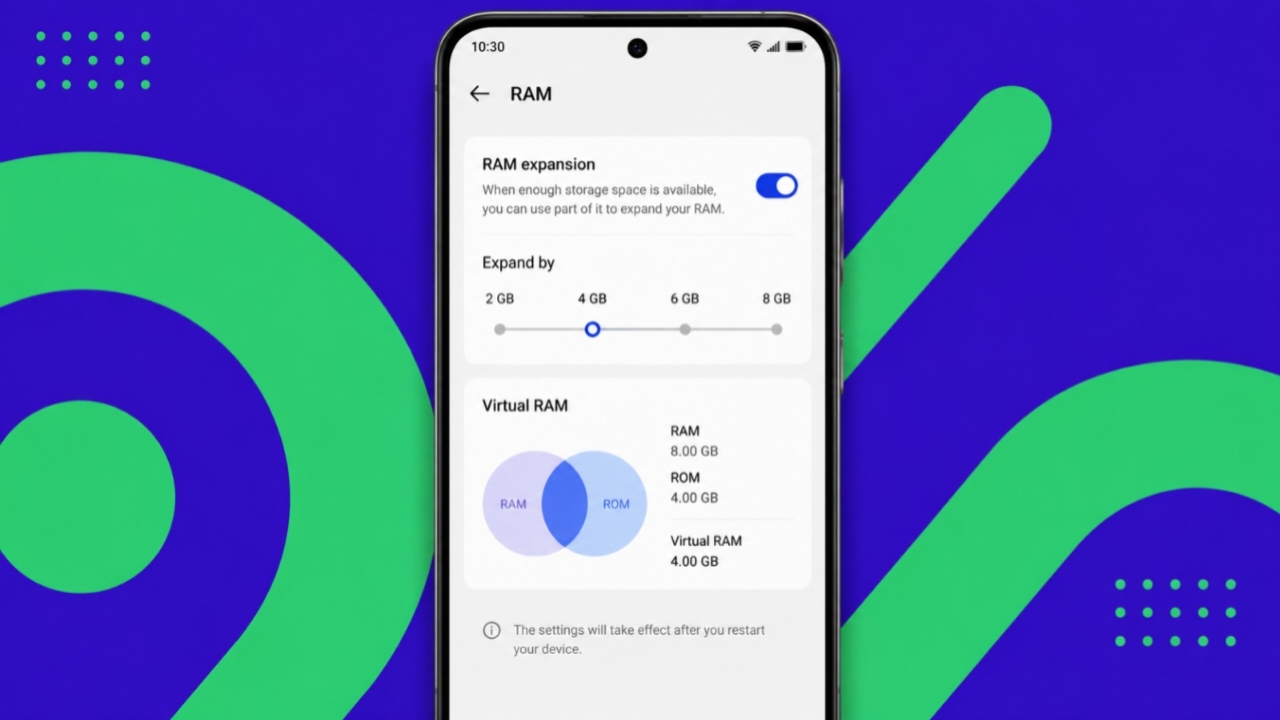
Virtual RAM uses a small storage portion. That storage works like additional phone memory. This increases available memory for running tasks. More apps can stay active simultaneously.
The phone closes fewer background applications. Users enjoy a smoother overall experience. Apps often remain exactly where they are left. This saves time during daily multitasking.
Android manufacturers continue improving this technology. Brands use different names and implementations.
However, the basic working principle remains similar. The feature aims to improve memory management. It also improves overall phone responsiveness.
How To Enable It
Different smartphone brands offer different methods. The setup process remains simple and quick.
Vivo And iQOO Smartphones
Vivo and iQOO phones support RAM expansion. These devices use the FuntouchOS interface.
- Open the Settings application.
- Select RAM and Storage Space.
- Tap the RAM option.
- Enable the RAM extension feature.
The device may feel smoother afterward.
Samsung Smartphones
Samsung calls this feature RAM Plus. It arrived through the OneUI 4 update. Many recent Samsung smartphones support it.
- Open Settings.
- Select Battery and Device Care.
- Tap Memory.
- Open the RAM Plus option.
- Choose 2GB, 4GB, 6GB, or 8GB.
- Restart the smartphone.
Oppo And OnePlus Smartphones
Many ColorOS 11 devices support expansion.
- Open Settings.
- Select About Phone.
- Tap the RAM option.
- Enable RAM Expansion.
- Choose 2GB, 3GB, or 5GB.
- Restart the device.
Xiaomi And Poco Smartphones
Many MIUI 12.5 devices include this feature.
- Open Settings.
- Select Additional Settings.
- Tap Memory Extension.
- Turn the feature on.
Realme Smartphones
Realme calls this feature Dynamic RAM Expansion. Many Realme UI 2.0 devices support it.
- Open Settings.
- Select About Phone.
- Open RAM Information.
- Enable the feature.
- Expand RAM up to 3GB.
- Restart the smartphone.
Benefits And Limitations
Virtual RAM offers several practical benefits.
Better Multitasking
Users often switch between many applications. Virtual RAM helps keep more apps active.
Gaming Support
Virtual RAM does not increase chipset power. Gaming performance may not improve significantly. However, background apps remain available longer. Apps may avoid reloading after gaming sessions.
Faster Camera Processing
Extra memory resources help image processing. Photos may process slightly faster afterward. The phone can manage resources efficiently.
Is Virtual RAM Better Than Physical RAM?
Virtual RAM cannot match actual hardware RAM. Physical RAM offers much faster transfer speeds.
Virtual RAM uses slower internal storage memory. Performance improvements may remain relatively small. Daily tasks may show limited differences.
Results vary across different smartphone brands. Software optimization also affects final performance.
The End Note
Virtual Mobile RAM improves multitasking and background app management. Many Android brands provide easy activation options.
Although slower than physical RAM, it assists. This feature can enhance everyday smartphone usage.